
Your needs, this model
Does it fit your priorities?
Is it useful when I want browning as well as reheating?
It provides documented air-fry, convection, broil and combination routines. Choose suitable cookware and accessories for each mode.
Explore this need in the finder →Does everyCV87QS include the MagicPot?
No. Panasonic identifies it as separate for 87 and included with 88. Confirm the exact offer contents.
Explore this need in the finder →Can it still be operated without following an app recipe?
The manual documents physical mode buttons and a dial, plus wireless disconnect. App guidance is an optional part of the cooking routine.
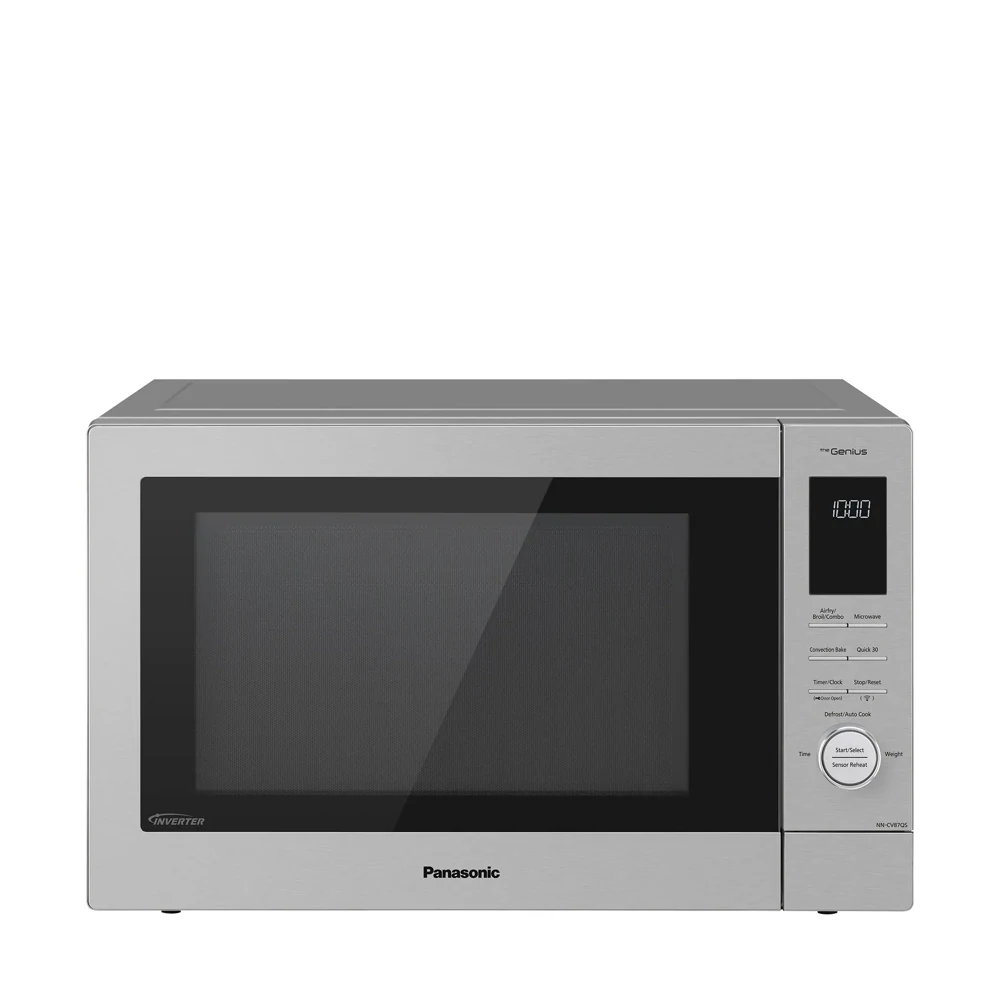
Explore this need in the finder →The Panasonic NN-CV87QS HomeCHEF Connect is a 1.2-cu.-ft. combination oven for someone who wants microwave reheating, browning and baking in one countertop appliance, with optional app-guided cooking. It provides a 1,000-W inverter microwave, air frying, convection and broiling. Its real tradeoff is the extra setup, cookware and accessory management; the connected feature is useful only if it improves your meal routine.
Who benefits from a connected cooking center?
If you often struggle to choose a mode or follow a cooking sequence, app-guided recipes may be useful. The Panasonic Kitchen+ connection, powered through Fresco, is designed to guide a supported recipe and its oven settings. It can be more relevant to a home cook trying varied meals than to someone who simply wants to heat the same lunch each day.
You still need to prepare ingredients, select suitable cookware and attend the appliance. A guided recipe is not a promise of unattended cooking or a guarantee of the final texture. Decide whether using an app at the counter is something you actually want, rather than paying for connectivity because it sounds more advanced.
The oven retains physical function buttons and a Start/Select dial. The manual also documents disconnecting wireless operation. That allows you to judge the basic cooking workflow separately from the app. Buyers who want the extra modes but prefer no connected setup should compare the nonconnected CD87KS as a distinct model, checking its own edition and accessories.
Separate the CV87QS from the Magic Pot package
Panasonic's support specifically distinguishes NN-CV87QS and NN-CV88QS: the Magic Pot is sold separately for the 87 and included with the 88 package. The shared shop page can display either SKU depending on the selected style. A photograph showing a pot does not establish that it is included with every CV87QS offer.
This is more than a naming detail if the accessory is a reason for buying. Read the seller's contents list and the manufacturer's instructions for the actual accessory. The standard wire rack, enamel tray and air-fry basket have different uses from the optional Magic Pot.
Keep the model label and bundle contents separate when comparing value. There is no reason to buy an additional package for a cooking method you will not use. Equally, do not assume a lower-priced base offer includes the part shown in a lifestyle image.
What the cooking modes change
The inverter microwave handles the familiar task of heating the center of food. Convection, broil and air-fry modes introduce dry heat and browning possibilities that a plain microwave does not provide. The manual also documents specific combination routines rather than arbitrary mixing of every mode.
The accessories and cookware have to follow the selected mode. Panasonic says the supplied metal cooking accessories are not used for ordinary microwave-only heating, and the air-fry basket has a specific placement. A plastic container marked microwave-safe is not automatically suitable for convection or broiling. Select the method first, then the dish and accessory arrangement.
This workflow is worthwhile when crisping or baking is a recurring need. It is unnecessary effort when the main requirement is quick, simple reheating. One cavity also means the functions run in sequence: it is not equivalent to having a separate microwave and oven available for independent jobs at the same time.
Space, tray size and hot parts
The exact US manual gives a body22 1/16 inches wide,13 33/64 inches high and 17 23/32 inches deep. Ordinary countertop guidance adds6 inches above,4 inches behind and 2 inches on both sides. The resulting space requirement is much larger than a photograph of the closed appliance might suggest.
There is a nominal360-mm turntable in the official specification, about14.17 inches. It is not a guaranteed maximum dish diameter. Handles, door clearance, rotation and the rack or tray arrangement can change the fit. Confirm the actual container you hope to use for baking, not just an ordinary dinner plate.
You also need a landing place for hot accessories and storage when they are not in use. Cooling airflow can remain part of the routine after a hot mode ends. A beep-off setting changes electronic signals; it does not make the fan or door silent.
Everyday reheating still matters
The official exact-model specification confirms humidity-based Sensor Reheat and Sensor Cook. The physical one-push reheat function is intended for a suitable chilled meal. Follow the portion, covering and dry-surface instructions rather than expecting the app or sensor to recognize every food.
The microwave output is 1,000 W. Its electrical input is a different figure and varies by heating mode; follow the nameplate and exact installation document for the electrical arrangement. Do not treat the 1,300-W heater rating as 1,300-W microwave cooking output.
The reviewed manual separately describes electronic control lock and a physical child-safety door lock. Confirm the door-release sequence on the actual appliance if access with limited dexterity is important. The existence of a safety mechanism does not by itself tell you whether the interaction suits the main user.
Connectivity and installation checks before choosing
The Kitchen+ setup instructions call for an account and a compatible home network; the shared support procedure specifies2.4-GHz Wi-Fi. Check current app support on your device before making guided cooking the deciding feature. A manufacturer connection option is not a guarantee of indefinite support for an outside service.
The exact manual also names NN-TK81KC for a separate trim-kit installation. Match the oven, kit and installation sheet; do not transfer the older CD87KS kit suffix by appearance. For open-counter use, keep the stated ventilation arrangement. For cabinetry, use the kit's cutout and duct instructions rather than ordinary counter-gap arithmetic.
Our recommendation
Choose the CV87QS when baking or browning is genuinely useful and optional app guidance fits the way you cook. Choose a simpler sensor microwave for uncomplicated leftovers. Check whether the exact offer includes the accessories you want, and verify your dishes and operating space. The strongest reason to buy is a better cooking routine, not simply a connected badge.
Primary sources
- Exact US CV87QS product guide
- Exact CV87QSAPH specifications
- Current linked US owner manual
- Panasonic87/88 accessory distinction
- Kitchen+ setup requirements
Key details at a glance
| Nominal cavity | 1.2 cu. ft. |
|---|---|
| Cooking output | 1000 W |
| Turntable diameter | 14.173228346456694 in |
| Sensor reheating | Documented |
| Inverter power control | Documented |
| Alert mute setting | Documented |
| Approved trim-kit route | Documented |
| Body W × D × H | 22.0625 × 17.7188 × 13.5156 in; ventilation additional |
Facts apply to the reviewed model and document edition. Read the relevant section for generation differences and installation conditions.
Sources for this assessment
Compare it with your other choices
Use your needs to find alternatives and understand the tradeoffs.